Keep selling
when the internet stops.
Each till keeps a local copy of what it needs. When the connection drops, sales are saved on the device and sync once it's back. The till also refuses sales priced under cost and holds every customer to their credit limit.
A real till,
on a busy day.
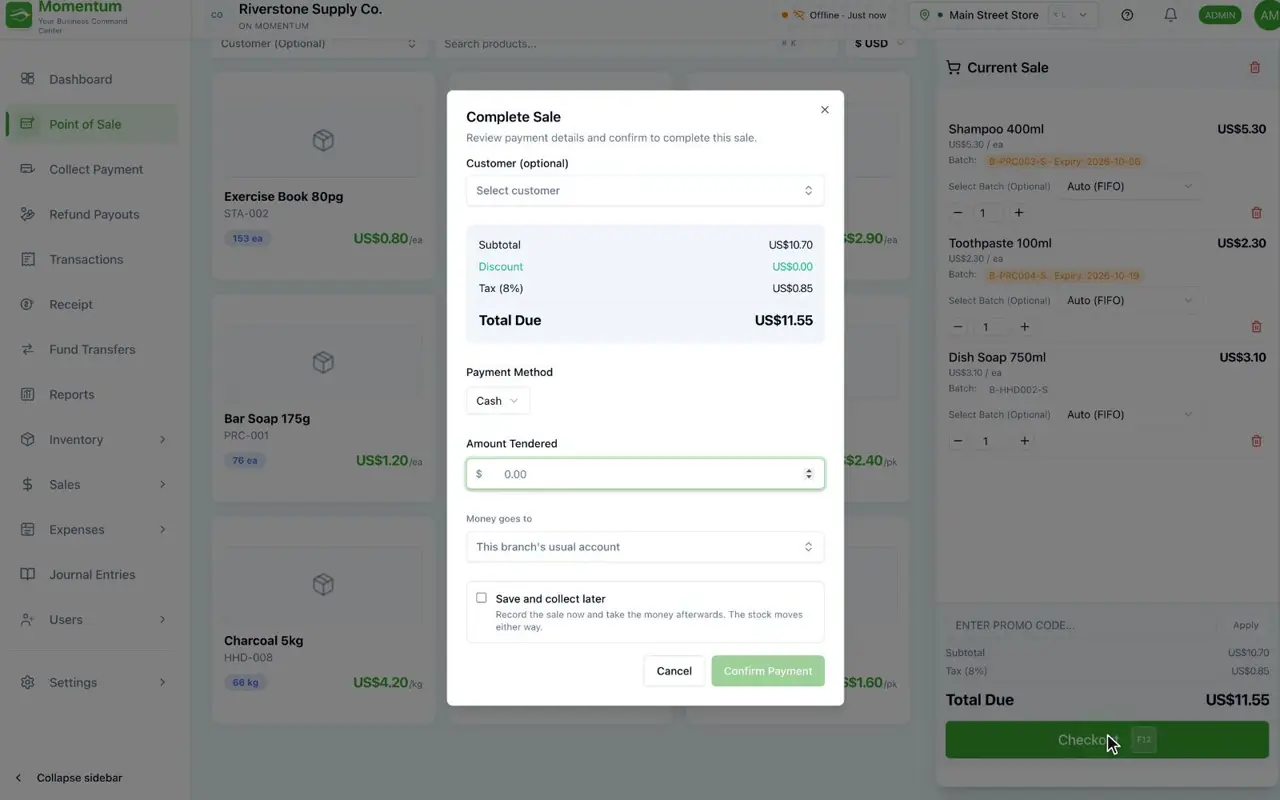
The connection drops, sales wait on the device, and each one syncs when it's back.
A line priced under cost stops the sale before payment is taken.
Credit limits are checked at the till, with bought-together suggestions while the sale is open.
The internet drops.
The queue doesn't.
Each till keeps what it needs on the device. Sales made offline are saved there and sync when the connection returns, so a bad connection never turns into a closed store.
- Sales saved on the device while offline
- Queued sales sync on their own when the connection is back
- Each sale syncs once, never twice
No sale
below cost.
If a line is priced under what the item cost you, the till won't complete the sale. Only people you've given permission can sell below cost.
- Checked as each line is entered
- The sale is stopped, not just flagged
- Only people you allow can sell below cost
Credit,
within limits.
Give a customer a credit limit and Momentum holds to it, at the till and on invoices. A sale that would take them over the limit doesn't go through.
- A limit per customer
- Checked at the till and on invoices
- Balances come from the books, not a spreadsheet
Promotions per branch,
suggestions at the till.
Run an offer in one store without touching the others, and let the till suggest what's often bought together, so every basket has a chance to grow.
- Offers and promotions set per branch
- Bought-together suggestions while the sale is open
Control that travels
with every sale.
A new till can't sign in until it's approved with a code.
Decide exactly what each role can do at the till.
Each person works only in the locations you give them.
Every change is logged with the old value, the new one and who made it.
The rest of the platform
See a till
that doesn't stop.
Book a walkthrough and we'll ring up sales, drop the connection and watch them sync.
- 1Sales made offline, then synced
- 2A below-cost line being stopped
- 3A credit limit holding at the till